
Doomreader
A free reading app that turns books into a feed you scroll
Your thumb already knows how to read a feed. Doomreader is a reading app that points that habit at books: every book, from Pride and Prejudice to the PDF a colleague sent you, opens as short posts that fit your screen, one swipe at a time, with your place kept to the line.
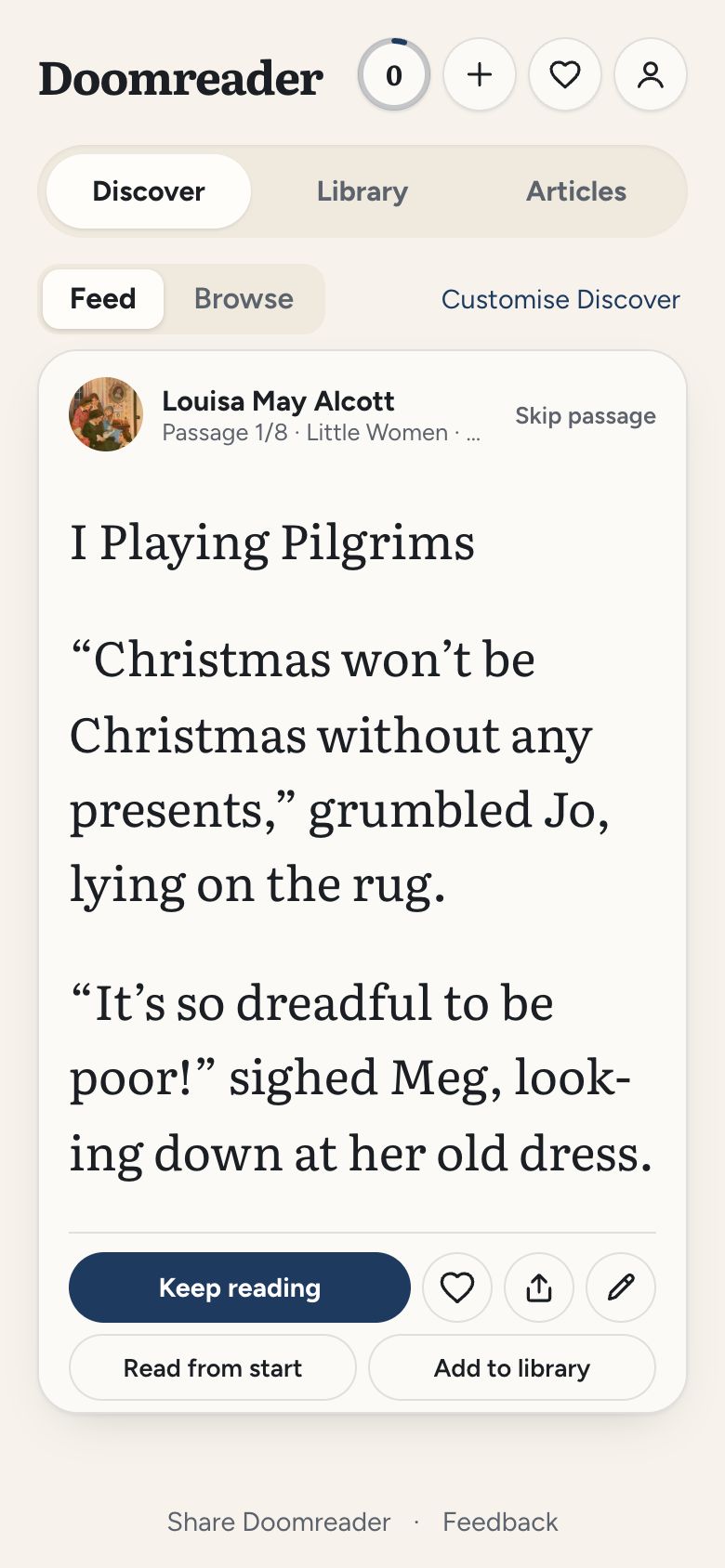
It is free on Android, on iPhone through the browser, and on any computer, with no sign-up to start. More than 3,000 classics are already inside, in seven languages, and your own EPUBs and PDFs open the same way.
Books as posts, not pages
A book in Doomreader is cut at its paragraph breaks into cards that fill the screen and never spill over: a cover, chapter titles, then the text, post after post. Scroll and you are reading. Your place is saved as you go, so a chapter started on the bus picks up at the same line in bed. Tap the progress bar at the bottom to slide through the book, with a mark at each chapter, and after any jump, Back to where you were takes you to the very post you left.
Pick how it looks under Aa: five reading fonts, colour themes from light and dark to sepia, sage and dusk, the text size and the card size. In the social look each post wears the book like an account, cover as the avatar and author as the name, with a heart to highlight a passage, a pencil for a note and a button to share it as an image.
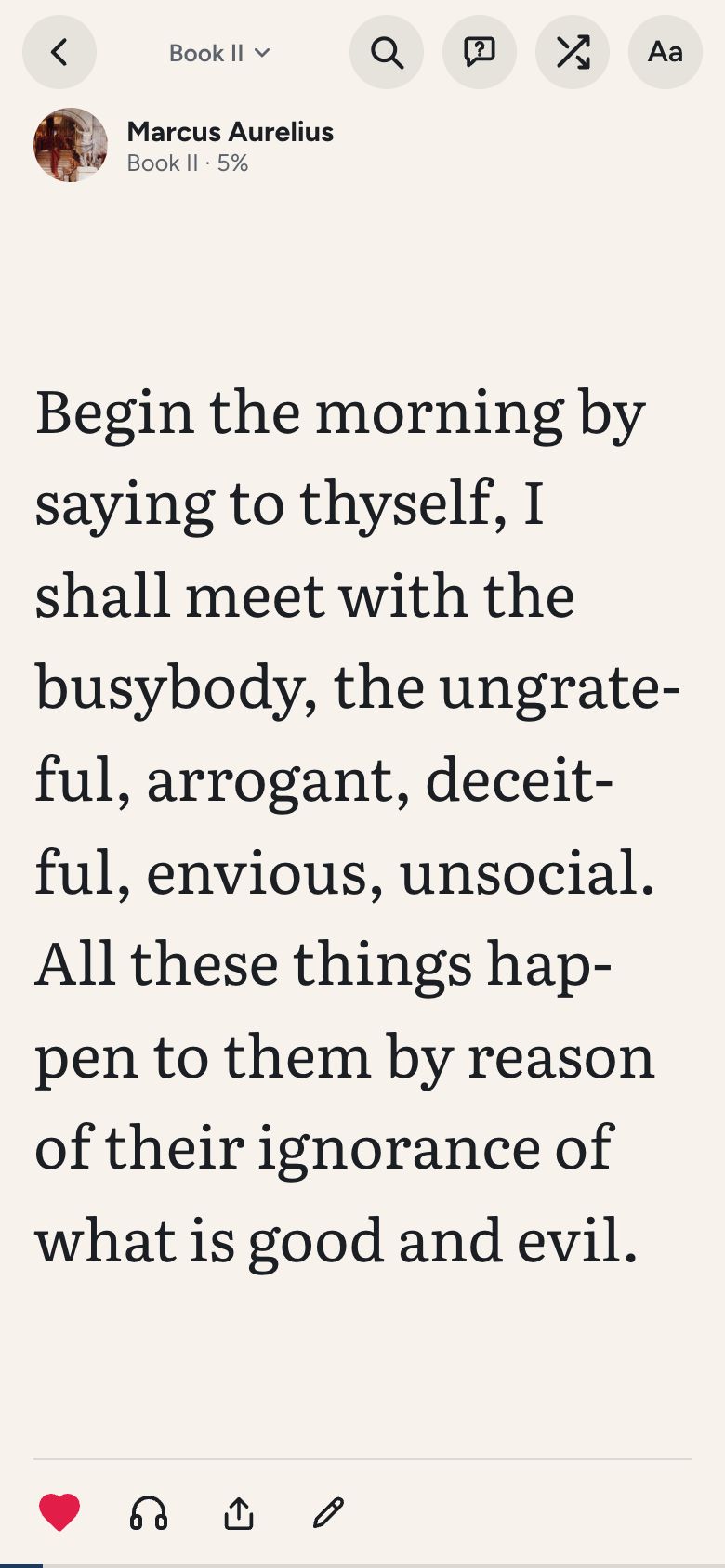
3,000+ free classics in Discover
The Discover tab is a feed of passages and openings from the free books, shuffled differently every time and leaning a little toward what you like. When a passage hooks you, keep reading puts the book on your shelf and opens it at that very card. Browse, beside it, lists every free book by shelf and language, with a search box.
The books are public domain, so they are free for good, not on a trial: English classics, nonfiction from the Stoics to Adam Smith, and books in Spanish, Portuguese, German, French, Hindi and Indonesian. How they come to be free is on our page about public domain books, and many of the free books have a page of their own with their best passages. If you want a route through them, a reading path is a short run of classics in a sensible order.


Your own EPUBs and PDFs
Tap the plus on the home screen and open any EPUB or PDF from your phone or computer. It becomes the same feed, with chapters, highlights, notes and your place, and the file stays on your device. Books with copy protection, password-locked PDFs and scanned PDFs, which are pictures of pages, cannot be opened. More on reading PDF books on your phone.
To try it without installing anything, the online EPUB reader opens a file straight in your browser. When a long PDF raises questions, ask it and get an answer from its own text, paid with AI credits.
Listen to any book
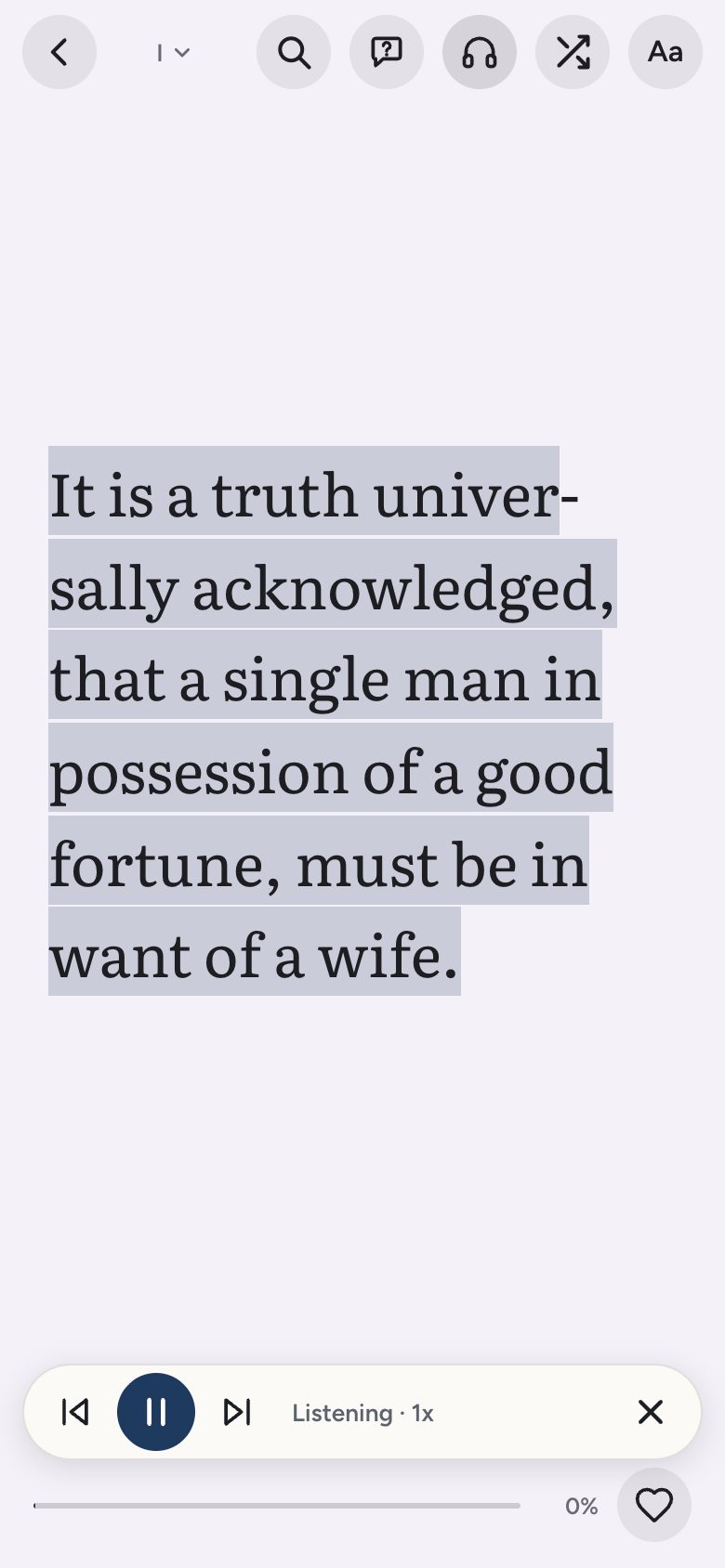
Tap the headphones and your device's own voice reads the book aloud from the post on screen, highlighting the sentence as it goes and moving the feed on by itself. It is free, works with every free book and with your own EPUBs and PDFs, and runs from 0.75x to 2x. Natural AI voices are there too for long listens, paid with AI credits. See free audiobooks and how to read a PDF aloud.
Highlights and saved words
Press and hold the text to highlight a sentence or a paragraph, or, on a book read in order, a passage that runs across several cards. A highlight can carry a note and be shared as an image. Your highlights, including the posts you marked with the heart, and any Kindle highlights you import sit together in one Saved list.
Look up a word with Define or Translate and it is saved with the sentence you met it in, in a Words tab, a vocabulary builder made of your own reading: a setting, on from the start, and free. With Pro, your saved words come back as flashcards of their own.


A daily goal and a streak
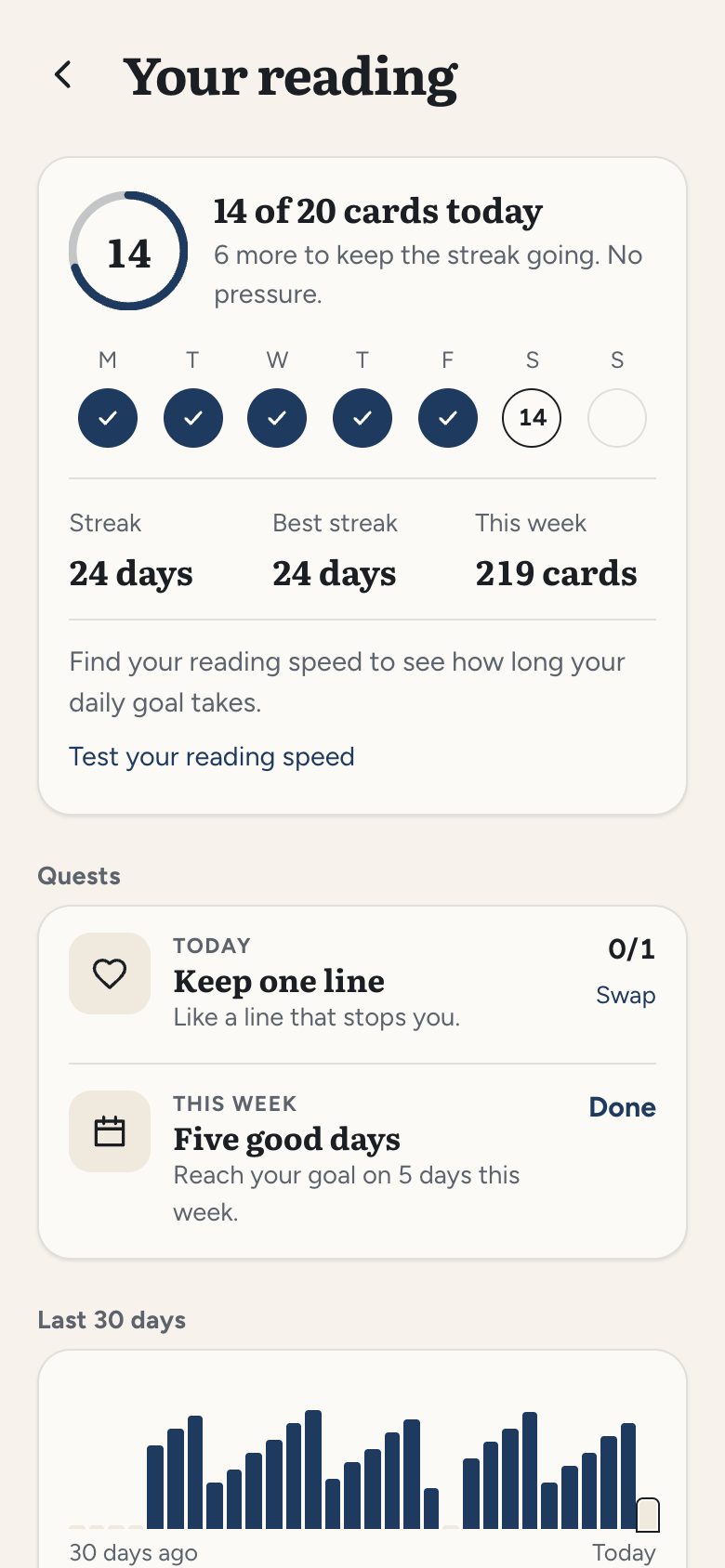
The ring on the home screen fills as you read toward a daily goal of 10, 20, 40 or 80 cards. Days you reach it become a streak, with one missed day a week forgiven, and Your reading keeps the books you finish, your records, 27 badges, a small quest for the day and the week, and a month in books you can share. All of it is free and counted from the reading you do in the app; there is nothing to log by hand. More on the reading tracker.
Reading with other people
With Pro you can make a public reading profile: your streak, cards read, the books you are reading and the ones you finished, and highlighted passages (never your notes). Follow other Pro readers and see what they started, finished and loved in a Following feed. On the free books, a speech bubble beside a passage opens its comments; reading and writing them needs only a free sign-in. A profile starts private, and every part of it has its own switch.
Coming from Goodreads? The Goodreads import reads your export file on your phone, finds the free classics in it and puts them on your shelf, with the ones you read marked finished on their day. See how Doomreader compares with Goodreads.


Articles and newsletters too
Paste a link in the Articles tab and the article becomes the same feed, kept on your device and readable offline: 25 saves a month free, see read later. You can also follow blogs, Substacks and newsletters, up to 10 free, and their new posts arrive in the same tab: see the RSS reader.
Free, and what costs money
Reading, Discover, every free book, your own EPUBs and PDFs, all fonts and themes, listening with your device's voices, highlights, notes, saved words, the daily goal and streak, and comments cost nothing. Pro adds a public reading profile, following readers and a Following feed, sync across your devices (books, places, highlights, notes, saved words and settings), search inside every book and article, flashcards for your saved words, following up to 500 blogs and newsletters, more saved articles and your all-time reading history. Asking a book and natural voices use AI credits bought on the purchase page.
Where it runs
On Android, install Doomreader from Google Play. On iPhone and iPad, open doomreaderapp.com/app in Safari and add it to your home screen, where it opens like any other app. On a computer, it runs in the browser.