
Free EPUB reader, right in your browser
Open an EPUB file and start reading in seconds. No download, no sign-up, and the book never leaves your device. PDFs open too.
Free. No account. Your file stays on this device.
How it reads
Short cards, not a wall of text
Each book becomes a feed of short cards you scroll like a social feed. Your place is kept, card by card.
Fonts you can read for hours
Literata, Source Serif, EB Garamond, Atkinson Hyperlegible and Figtree, at any size. All free.
Light, dark, sepia and more
Five themes, sepia, sage and dusk among them, so a late chapter is easy on the eyes.
Read aloud, free
Tap the headphones and your device's own voice reads the book to you, at your speed. Natural AI voices are there too, with AI credits.
Jump anywhere, then back
Tap the progress bar to slide through the book, with a mark at each chapter. After a jump, Back to where you were takes you to the card you left.
Highlights and saved words
Highlight a line, or a passage across cards, and add a note. Words you look up are saved with their sentence. All free.
How to open an EPUB file
- Tap Open an EPUB above, or drop the file anywhere on this page.
- Doomreader opens it in this browser and keeps it in your library on this device.
- Scroll. Your place, highlights and notes are kept, so you can come back any time at doomreaderapp.com/app.
What it looks like
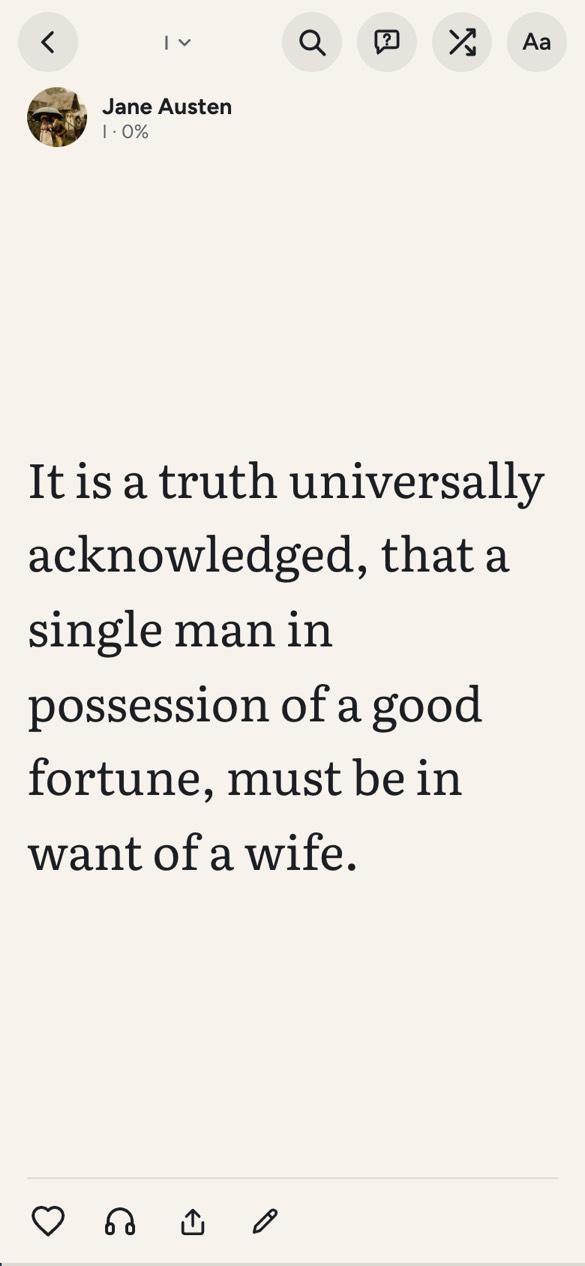
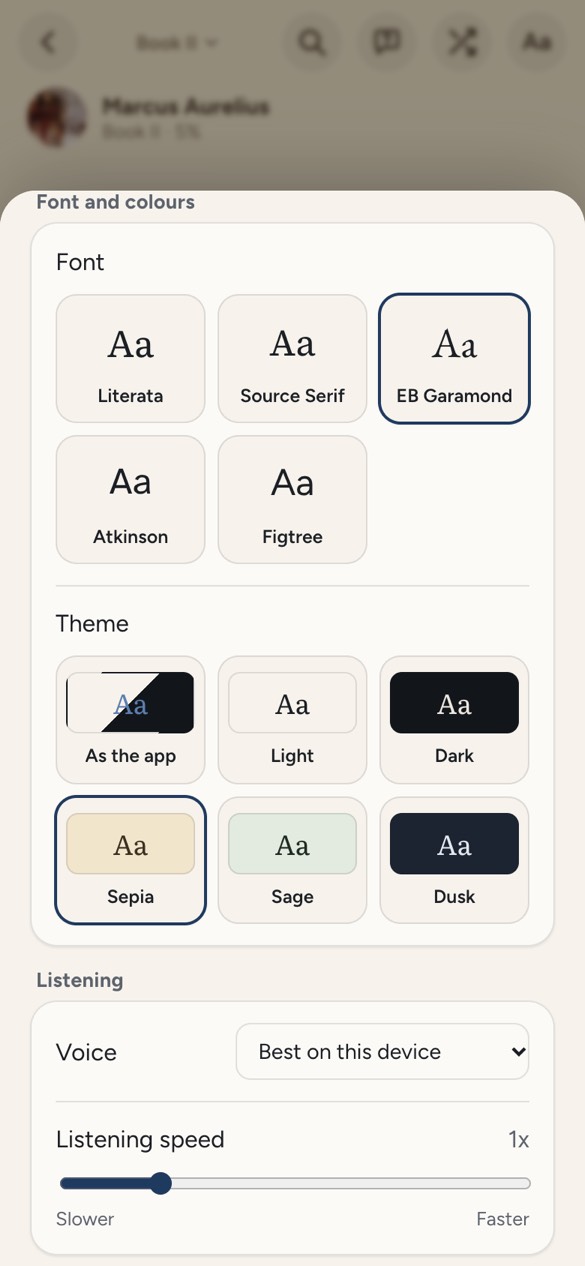
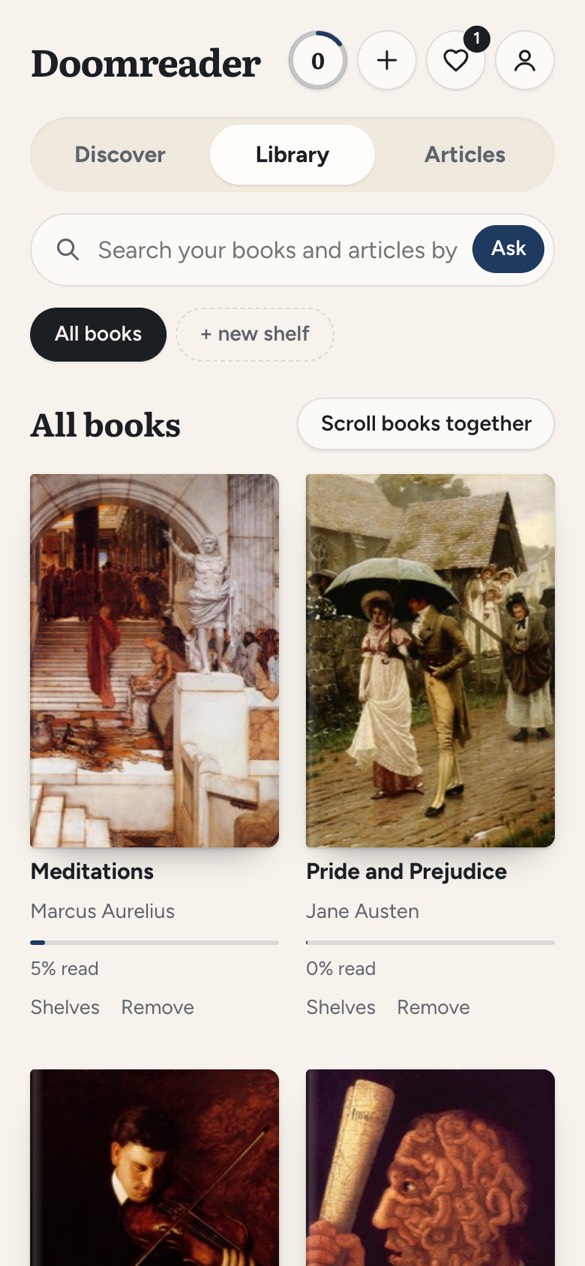
PDFs open too
Doomreader also reads PDFs that have real text: articles, reports and most ebooks sold as PDF. It takes the text out of the pages and lays it out as cards, so a PDF reads like a book on a phone instead of a page you pinch and drag. Scanned PDFs (pictures of pages) and password-locked files cannot be opened.
Works on the device you have
- Windows and Mac: in Chrome, Edge, Firefox or Safari. There is nothing to install, so it works on a work laptop too.
- Chromebook and Chrome: open it in a tab, and install it as an app from Chrome's menu if you like.
- Android: in the browser, or get the free Doomreader app on Google Play.
- iPhone and iPad: in Safari. Tap Share, then Add to Home Screen, and it opens like an app.
EPUB reader for Android: the Doomreader app
On an Android phone, the same reader comes as a free app: Doomreader on Google Play. Install it, open the Library, tap Choose an EPUB or PDF and pick the EPUB from your phone, from Downloads or wherever your files are. It goes into your library on the phone and opens at the start; after that it opens where you stopped. PDFs are added the same way. There is no Open with Doomreader in the phone's Files app yet, so books are added from inside the app.
Choose how a book reads under Aa. The social look shows each card like a post in a feed, for reading in short bursts. The book look sets the cards like pages, each with a colour of its own, for a long sitting. Text size, card size, the five fonts and the themes are all there, and all free.
Tap the headphones and your phone's own voice reads the book aloud from the card on screen, free, highlighting the sentence it is reading, at the speed you pick. Keep the app on screen while it reads. For a voice closer to a person, natural AI voices use AI credits; more on turning an EPUB into an audiobook.
A book you add is kept on the phone, so it opens with no connection, on a plane or underground, with your place, highlights and notes. The free classics need a connection the first time you open one. Weighing it against ReadEra, Moon+ Reader or Google Play Books? See the best EPUB reader apps, compared.
Your file stays on your device
When you open a file here, it goes from this page straight into the reader, in the same browser. It is not uploaded to us or to anyone else, and it is kept in your browser's storage on this device. With Pro and sync turned on, the books you add are also kept in your own cloud space so your other devices can open them; otherwise they never leave the device.
No EPUB to hand?
Doomreader comes with more than 3,000 free classics, from Pride and Prejudice to Meditations, all public domain. Browse the free books, or open the app and scroll Discover.
Questions
Is this EPUB reader free?
Yes. Opening and reading EPUB and PDF files, every font and theme, and reading aloud with your device's voice are free, with no sign-up. Pro adds sync across devices and export of your highlights to Notion and Obsidian. Natural AI voices and asking the book use AI credits.
Is my file uploaded?
No. The file goes from this page to the reader in your browser and is kept on your device. Nothing is uploaded unless you have Pro with sync turned on, which keeps a copy in your own cloud space for your other devices.
How do I open an EPUB file on Windows?
Open this page in Chrome, Edge or Firefox, tap Open an EPUB and choose the file, or drag it from File Explorer onto the page. There is nothing to install.
Can I read EPUB files on Android or iPhone?
Yes. On Android, use the browser or the free Doomreader app from Google Play. On iPhone and iPad, open this page in Safari; add Doomreader to your home screen and it opens like an app.
Can it open PDFs?
Yes, PDFs that have real text. Scanned PDFs and password-locked files cannot be opened.
Why won't my EPUB open?
Books with DRM (copy protection), such as most books bought from Kindle, Apple Books or Kobo, cannot be opened by another reader. DRM-free EPUBs, such as those from Standard Ebooks, Project Gutenberg and many independent publishers, open fine.