
Doomreader
PDF book reader: read PDF books on your phone as short posts
A PDF is a printed page frozen in place. That is perfect for a form and miserable for a novel on a phone: you pinch, zoom, pan to the end of a line, pan back, and lose your place every time the screen turns. Doomreader is a PDF book reader that takes the text out of the page and sets it again for your screen, as short posts you scroll, with your place kept to the paragraph.
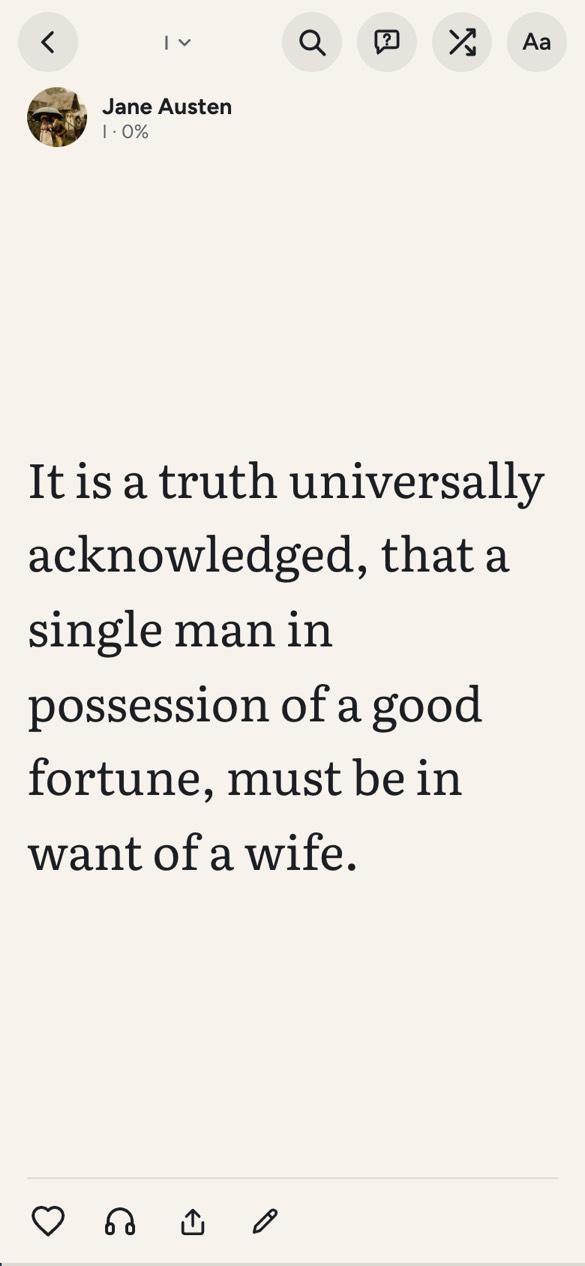
It is free, in the browser and in the Android app, with no sign-up, and the file never leaves your device. It is built for books: novels, textbooks, long reports. For signing, filling in and marking up documents, a PDF editor such as Adobe Acrobat is the right tool.
How a PDF becomes a book you can read
Open the PDF from the plus on the home screen. Doomreader reads its text with pdf.js, the open-source engine Firefox uses, and puts it back together: lines into paragraphs, bigger short lines into headings, and the PDF's own bookmarks into chapters. It drops what belongs to the printed page and not to the book: page numbers, running headers and footers, footnotes and words split by a hyphen at the end of a line.
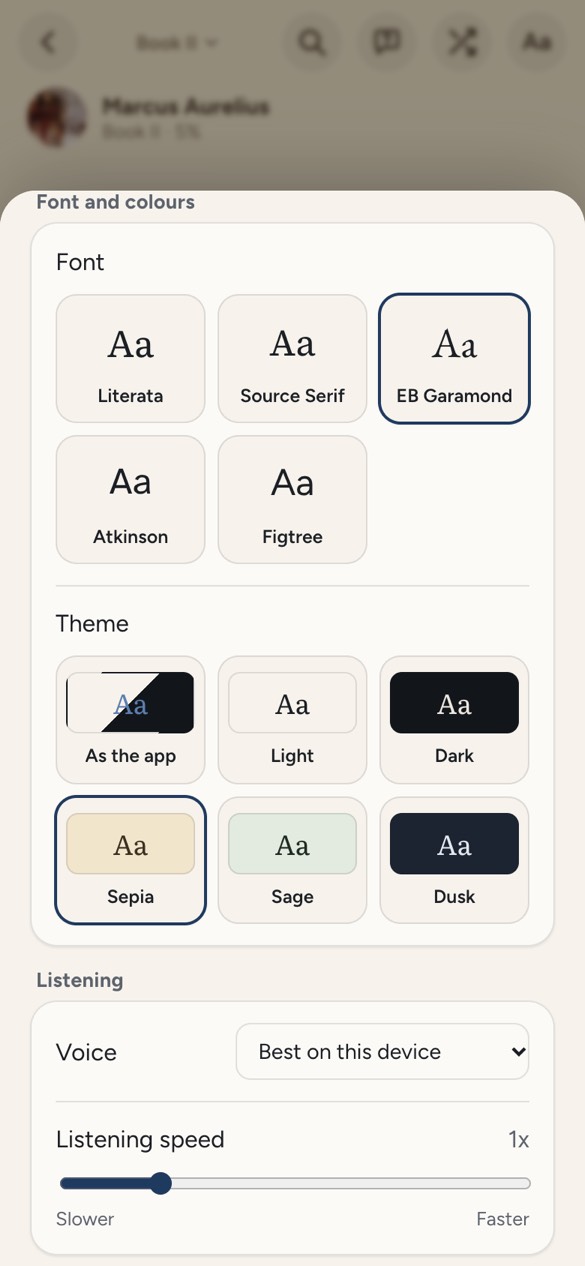
What comes out is the same feed as any EPUB: posts that fit the screen at your text size, in your font and theme, a chapters list, highlights, notes and search inside the book. A 1,452-page book took about six seconds to open on a laptop; a phone will be slower.
Which PDFs work, and which do not
A PDF with real text works: one made from a word processor, an ebook tool such as calibre, or saved from a web page. A scanned PDF does not. A scan is pictures of pages with no text inside, and Doomreader has no text recognition, so it says so rather than showing you blank cards. A PDF that needs a password or uses copy protection cannot be opened either.
Some things are lost on the way, on purpose: pictures, bold and italics, tables, maths and the page layout. For a novel or an essay you will not miss them. For a book that is mostly diagrams or formulas, the original PDF is still the better way to read it.
Why look for a PDF of a classic? It is free here
Many searches for a PDF book are really searches for a classic: Pride and Prejudice, Frankenstein, The Great Gatsby. Those are public domain, and more than 3,000 of them are already in Doomreader, in seven languages, made from carefully proofread editions and ready to read without hunting for a file. Open Pride and Prejudice and it starts at chapter one; each book also has an EPUB to download from its page.
How they come to be free is on our page about public domain books.

Listen to the PDF instead
Tap the headphones and your device's own voice reads the PDF aloud from the post on screen, highlighting the sentence, free and on the device. Natural AI voices are there for long listens, paid with AI credits. More on reading a PDF aloud.
Ask the PDF a question
Stuck on a term in a textbook or a name in a long novel? Ask the book: Doomreader picks a few passages on your device and answers from them, with the places it used. It uses AI credits, 1 a question; there are no free questions.
Your place, everywhere
Every PDF keeps its place as you scroll, and counts toward your daily goal and streak like any book. Tap the progress bar to slide through it, with a mark at each chapter, or step ten posts back or ahead. A jump is only a peek until you read on there, and Back to where you were returns you to the post you left, so your place never moves by accident. With Pro, your PDFs, places, highlights and notes sync across your devices; without it, they stay on the device you added them on.