
Guide
How to read books on your phone comfortably
Your phone is the screen you always have with you, which makes it the best e-reader you own, if it is set up for reading. Most people who say they cannot read books on a phone are fighting the wrong app: a PDF viewer that makes them pinch and pan, or a reader that loses their place.
Updated 10 Oct 2026
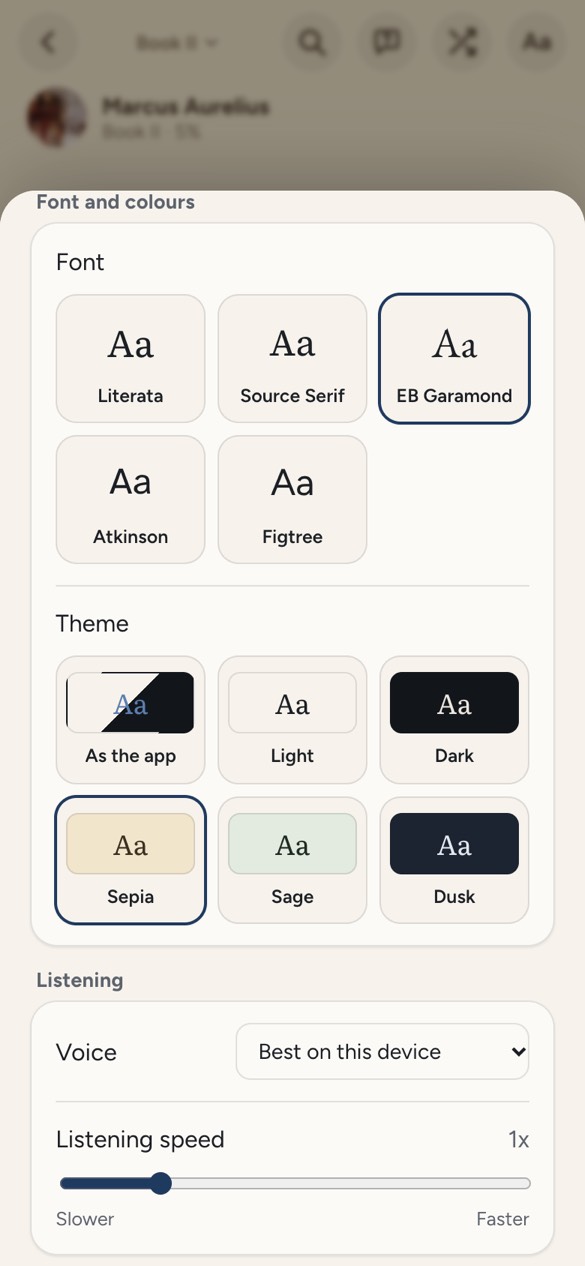
Here is how to make it comfortable, with or without Doomreader.
Use a reader, not a viewer
A PDF viewer shows a printed page shrunk to the width of your hand. A reader app reflows the text to fit the screen, so the words are large and the lines are short. Open EPUBs in a reader, and for PDFs choose an app that extracts the text and reflows it.
Doomreader does that for any DRM-free EPUB and any PDF with real text, in the browser or the Android app, with nothing to install on iPhone: open doomreaderapp.com/app in Safari. The file stays on your device.
Get the text right
Try the text bigger than you think you need; many people find a size above their phone's default more comfortable for long reading. Choose a reading face designed for screens: Doomreader has Literata, Source Serif, EB Garamond, Atkinson Hyperlegible (designed for low vision) and Figtree, all free. Short lines are easier than long ones, which is a phone's natural advantage.
At night, use a dark or sepia theme and lower the brightness. Bright white text on black can be harsh in a dark room, so a dim dusk or sepia theme is often gentler.
Read in screen-sized pieces
Scrolling a long page makes it easy to lose your line. Paging one screen at a time is calmer, and that is what Doomreader's posts are: one screen of text, swipe for the next, with the place saved on every swipe. A two-minute wait becomes a page or two of your book rather than a hunt for where you were.
Getting books onto your phone
Free classics need no download at all: there are thousands inside the app, from Pride and Prejudice to the Stoics. For your own files, download the EPUB or PDF to the phone (from email, a cloud drive or a store that sells DRM-free books) and open it with the add-a-book button. Books bought from Kindle or Apple Books are copy-protected and open only in their own apps.
Articles work the same way: share a link to the app on Android, or paste it, and it is saved as a feed. See the read later page.
Rest your eyes by listening
When your eyes are tired, switch to listening. Doomreader reads any book aloud free in your device's own voice and keeps your place, so you can read on the train and listen on the walk home. The read-aloud guide has the details.
Small habits that help
Hold the phone a little further away than for messages, and blink more than feels natural; screen reading reduces blinking, which is most of what makes eyes tired. Take your eyes off the screen every twenty minutes or so to look at something far away. In bed, turn the brightness right down and use a dark theme, or switch to listening once you are lying down.
Turn off notifications from other apps while you read, or use your phone's focus mode, so a message does not pull you out of a chapter. The fewer exits there are from the book, the longer you stay in it.