
Comparison
A Kindle app alternative for EPUBs, PDFs and free classics
The Kindle app is free and excellent at one thing: reading books bought from Amazon. It is less good at books from anywhere else. EPUBs have to be sent through Send to Kindle, PDFs are shown as fixed pages, and nothing opens straight from a file in your browser.
Last checked 10 Oct 2026. Prices and features change; the sources are at the end.
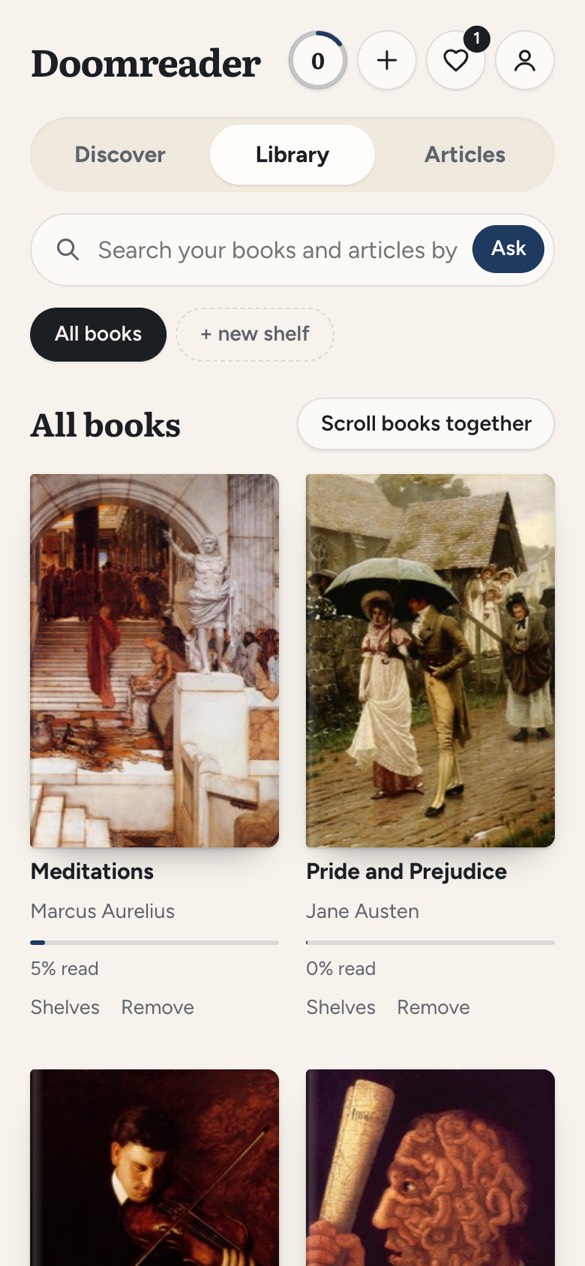
Doomreader is a reader for everything that is not locked to a store: your own DRM-free EPUBs and PDFs, saved articles and thousands of free classics, shown as a feed of short posts. It cannot open Kindle books. Here is how they compare.
Doomreader and the Kindle app side by side
| What | Doomreader | the Kindle app |
|---|---|---|
| Price | Free; Pro and AI credits, see the pricing page | Free app; you buy books |
| Kindle store books | No (copy-protected) | Yes |
| Your own EPUBs | Open directly, kept on your device | Through Send to Kindle, converted |
| PDFs | Text reflowed to fit the screen | Shown as pages; Send to Kindle can convert |
| Free classics | 3,000+ built in, with their best passages | Many free in the store, sold beside paid editions |
| Reading style | Vertical feed of posts, one screen each | Pages, scrolling option |
| Read aloud | Free in your device's voice | Through the device's accessibility reader |
| Sync across devices | With Pro | Free (Whispersync) |
| Highlights | Highlights and notes; Kindle highlights import free | Highlights and notes, notebook view |
| AI questions | Ask the book, with AI credits | Ask this Book, free on iOS in the US (unverified rollout) |
| Web articles | Save and read in the same feed | Send to Kindle from the browser |
| Works in a browser without installing | Yes | Kindle Cloud Reader, for store books |
Where the Kindle app is better
- The store: millions of books, including every new release, one tap away.
- Sync is free across phones, tablets and Kindle devices.
- E-ink: if you own a Kindle device, nothing on a phone screen matches it for long reading.
Where Doomreader is better
- Files just open: drop an EPUB or PDF on the page and it is readable at once, with nothing uploaded.
- The classics are curated, not buried among paid editions, and each opens at its best passage if you want a taste first.
- The feed format suits short sessions on a phone, with your place kept on every swipe.
- Your Kindle highlights can come with you: import My Clippings.txt or the Kindle notebook free.
Which to choose
If most of your reading is bought from Amazon, keep the Kindle app; Doomreader cannot open those books. If you read DRM-free EPUBs, PDFs, articles and classics, or want a phone-first reading format, Doomreader is the better home for them, and many people use both. For the other EPUB readers, see the best EPUB reader apps.
Questions
Can Doomreader open Kindle books?
No. Books bought on Kindle are copy-protected and open only in Amazon's apps and devices.
Can I read EPUB files without the Kindle app?
Yes. Open any DRM-free EPUB in Doomreader in your browser or the Android app; it stays on your device.
Can I bring my Kindle highlights?
Yes. Importing My Clippings.txt or the Kindle app's notebook export is free. Notion or Obsidian export is part of Pro.
Sources
- The eBook Reader: Ask this Book on Kindle iOS: Ask this Book, via docs/competition.md, 6 Oct 2026; wider rollout unverified
- Amazon Send to Kindle: how EPUBs and documents reach the Kindle app; not fetched (Amazon's help pages answered 503 during the research)
Doomreader's own facts are from the app as it is today and its pricing page. Spotted something out of date? Write to hello@doomreaderapp.com.